Basic Elements
See Electrical Elements for complete class definitions for these elements.
Two-terminal
Two-terminal devices subclass schemdraw.elements.Element2Term, and have leads that will be extended to make the element the desired length depending on the arguments.
All two-terminal elements define start, end, and center anchors for placing, and a few define other anchors as shown in blue in the tables below.
Some elements have optional parameters, shown in parenthesis in the table below.
Resistors
Resistors elements change style based on IEEE/U.S. vs IEC/European style configured by schemdraw.elements.style().
Selectable elements, such as Resistor, point to either ResistorIEEE or ResistorIEC, for example.
IEEE Style
IEEE style, common in the U.S., is the default, or it can be configured using
elm.style(elm.STYLE_IEEE)
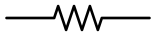
Resistor
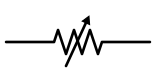
ResistorVar
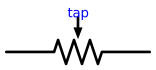
Potentiometer
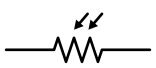
Photoresistor
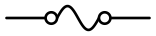
Fuse
IEC/European Style
IEC style can be enabled using
elm.style(elm.STYLE_IEC)
Resistor
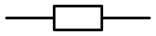
ResistorVar
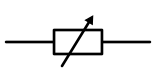
Potentiometer
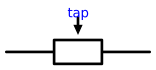
Photoresistor
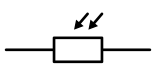
Fuse
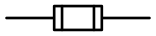
All Resistors
Either IEEE or IEC styles are always available with these Elements.
ResistorIEEE
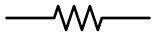
ResistorIEC
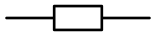
ResistorVarIEEE
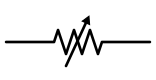
ResistorVarIEC
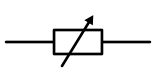
PotentiometerIEEE
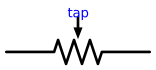
PotentiometerIEC
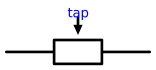
PhotoresistorIEEE
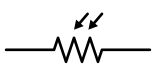
PhotoresistorIEC
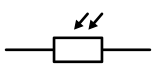
FuseUS
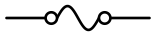
FuseIEEE
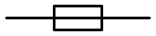
FuseIEC
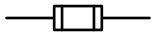
Rshunt
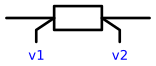
Capacitors and Inductors
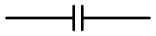
Capacitor
Capacitor(polar=True)
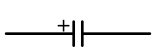
Capacitor2
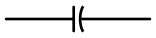
Capacitor2(polar=True)
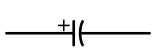
CapacitorVar
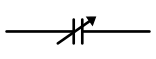
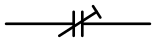
CapacitorTrim
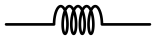
Inductor

Inductor2
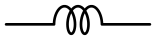
Inductor2(loops=2)
Diodes
All diodes may be filled by passing fill=True.
Diode
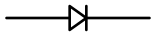
Diode(fill=True)
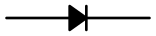
Schottky
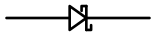
DiodeTunnel
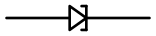
DiodeShockley
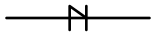
Zener
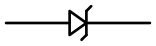
DiodeTVS
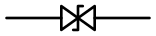
Varactor
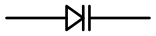
LED
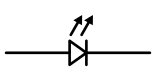
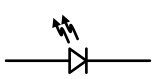
LED2
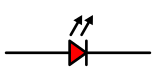
LED(fill=’red’)
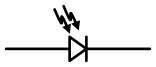
Photodiode
Diac
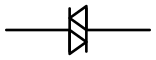
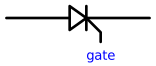
Triac
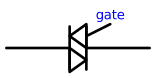
SCR
Pathological
Nullator
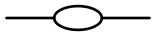
Norator
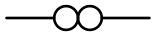
CurrentMirror
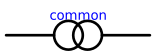
VoltageMirror
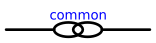
Miscellaneous
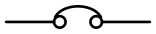
Breaker
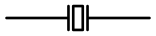
Crystal
CPE
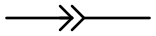
Josephson
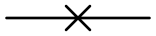
Josephson(box=True)
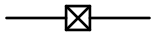
Motor
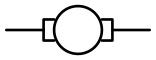
Lamp
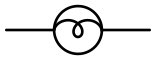
Lamp2
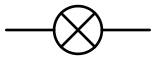
Neon
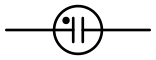
Thermistor
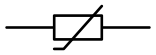
Memristor
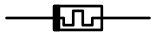
Memristor2
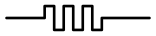
Jack

Plug

Terminal

SparkGap

Sources and Meters
Source
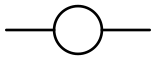
SourceV
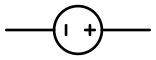
SourceI
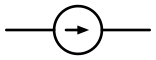
SourceSin
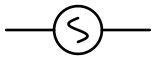
SourcePulse
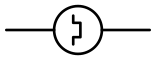
SourceSquare
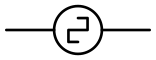
SourceTriangle
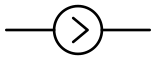
SourceRamp
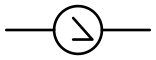
SourceControlled
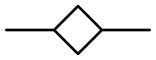
SourceControlledI
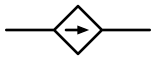
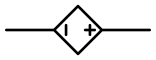
SourceControlledV
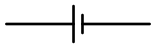
BatteryCell
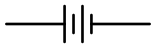
Battery
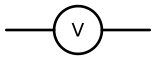
MeterV
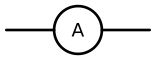
MeterA
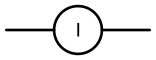
MeterI
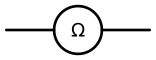
MeterOhm
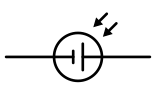
Solar
Switches
Button
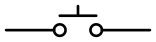
Button(nc=True)
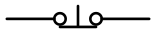
Switch
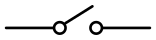
Switch(action=’open’)
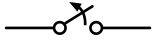
Switch(action=’close’)
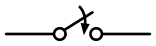
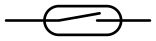
SwitchReed
Lines and Arrows
Line

Arrow

Arrow(double=True)

DataBusLine
Also see Connecting Elements.
Single-Terminal
Single terminal elements are drawn about a single point, and do not move the current drawing position.
Power and Ground
Ground

GroundSignal

GroundChassis

Vss

Vdd

Antennas
Antenna

AntennaLoop

AntennaLoop2

Connection Dots
Dot

Dot(open=True)

DotDotDot

Arrowhead

NoConnect

Switches
The standard toggle switch is listed with other two-terminal elements above. Other switch configurations are shown here.
Single-pole double-throw
Two options for SPDT switches can be also be drawn with arrows by adding action=’open’ or action=’close’ parameters.
SwitchSpdt
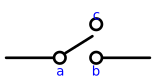
SwitchSpdt2

SwitchSpdt(action=’open’)
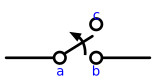
SwitchSpdt2(action=’open’)

SwitchSpdt(action=’close’)
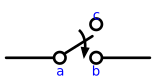
SwitchSpdt2(action=’close’)

Double-pole
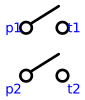
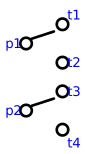
DPST and DPDT switches have a link parameter for disabling the dotted line lnking the poles.
SwitchDpst
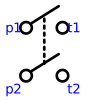
SwitchDpdt
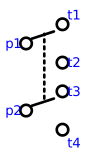
SwitchDpst(link=False)
SwitchDpdt(link=False)
Rotary Switch
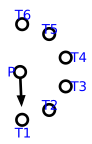
The rotary switch schemdraw.elements.switches.SwitchRotary takes several
parameters, with n being the number of contacts and other parameters defining the contact placement.
SwitchRotary(n=6)
DIP Switch
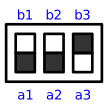
A set of switches in a dual-inline package, where can show each switch flipped up or down.
See schemdraw.elements.switches.SwitchDIP for options.
SwitchDIP
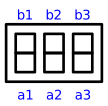
SwitchDIP(pattern=[0, 0, 1])
Audio Elements
Speakers, Microphones, Jacks
Speaker

Mic

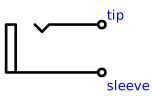
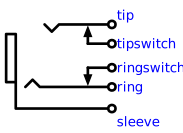
AudioJack
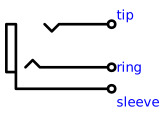
AudioJack(ring=True)
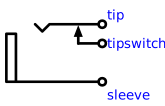
AudioJack(switch=True)
AudioJack(switch=True, ring=True, ringswitch=True)
Labels
The Label element can be used to add a label anywhere. The Gap is like an “invisible” element, useful for marking the voltage between output terminals.
Gap(label=[‘+’, ‘Gap’, ‘-‘])

Label(label=’Hello’)

Tag(label=’Tag’)

Operational Amplifiers
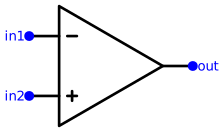
The schemdraw.elements.opamp.Opamp element defines several anchors for various inputs, including voltage supplies and offset nulls. Optional leads can be added using the leads parameter, with anchors exteded to the ends of the leads.
Opamp
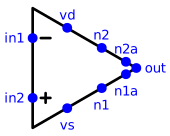
Opamp(sign=False)
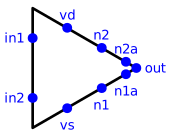
Opamp(leads=True)
Transistors
Bipolar Junction Transistors
Bjt
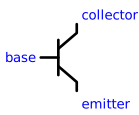
BjtNpn
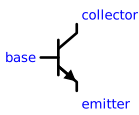
BjtPnp
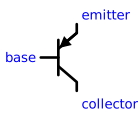
Bjt(circle=True)
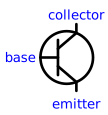
BjtNpn(circle=True)
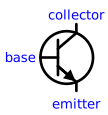
BjtPnp(circle=True)
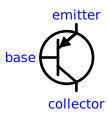
BjtPnp2c
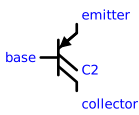
BjtPnp2c(circle=True)
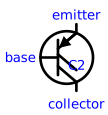
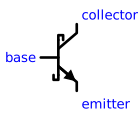
NpnSchottky
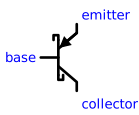
PnpSchottky
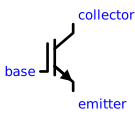
IgbtN
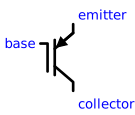
IgbtP
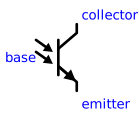
NpnPhoto
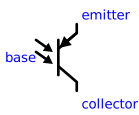
PnpPhoto
Field-Effect Transistors
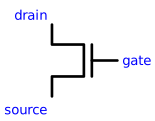
NFet
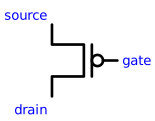
PFet
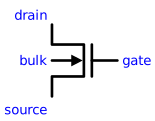
NFet(bulk=True)
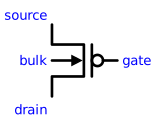
PFet(bulk=True)
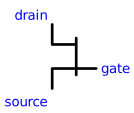
JFet
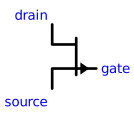
JFetN
JFetP
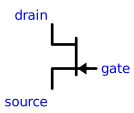
JFetN(circle=True)
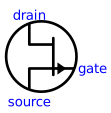
JFetP(circle=True)
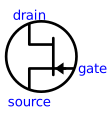
Hemt
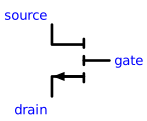
Hemt(split=False)
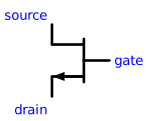
Hemt(arrow=False)
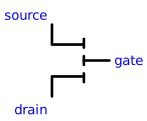
NMos
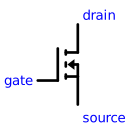
PMos
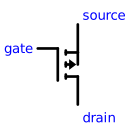
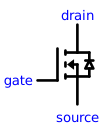
NMos(diode=True)
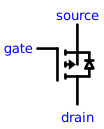
PMos(diode=True)
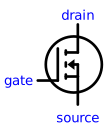
NMos(circle=True)
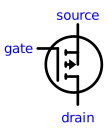
PMos(circle=True)
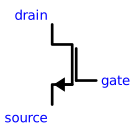
AnalogNFet
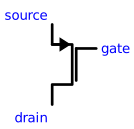
AnalogPFet
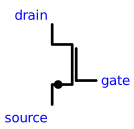
AnalogBiasedFet
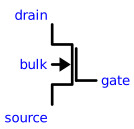
AnalogNFet(bulk=True)
AnalogPFet(bulk=True)
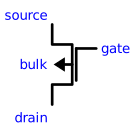
AnalogBiasedFet(bluk=True)
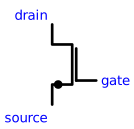
AnalogBiasedFet(arrow=False)
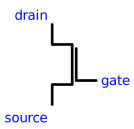
AnalogPFet(arrow=False)
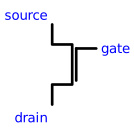
AnalogBiasedFet(arrow=False)
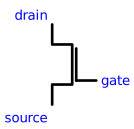
AnalogNFet(offset_gate=False)
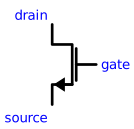
AnalogPFet(offset_gate=False)
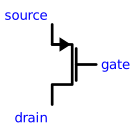
AnalogBiasedFet(offset_gate=False)
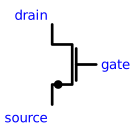
“Two-Terminal” Transistors
Another set of transistor elements subclass schemdraw.elements.Element2Term so they
have emitter and collector (or source and drain) leads extended to the desired length.
These can be easier to place centered between endpoints, for example.
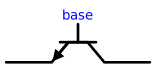
BjtNpn2
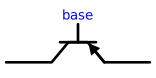
BjtPnp2
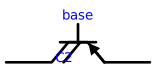
BjtPnp2c2
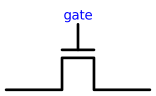
NFet2
PFet2
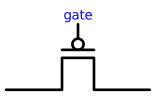
JFetN2
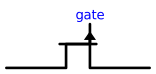
JFetP2
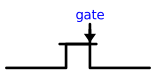
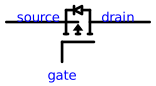
NMos2(diode=True)
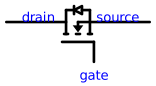
PMos2(diode=True)
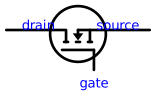
NMos2(circle=True)
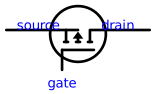
PMos2(circle=True)
Two-ports
Twoport elements share the interface defined by schemdraw.elements.twoports.ElementTwoport, providing a set of anchors and various styling options. The terminals and box can be enabled or disabled using the terminals and box arguments. In addition, the boxfill, boxlw, and boxls provide the option to style the outline separately from other elements.
TwoPort
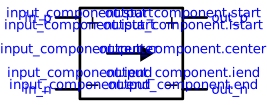
TwoPort(terminals=False, boxlw=3)
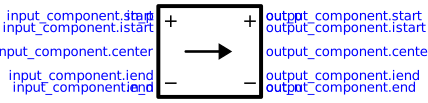
Generic
TwoPort
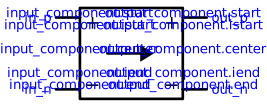
TwoPort(reverse_output=True)
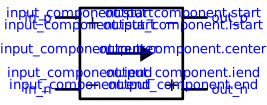
TwoPort(arrow=False)
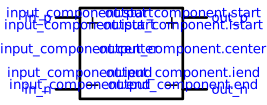
TwoPort(sign=False)
Transactors (ideal amplifiers)
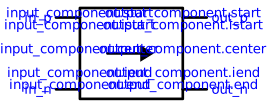
Like the generic twoport, the transactors provide the option to reverse the direction of the output or current using the reverse_output argument.
VoltageTransactor
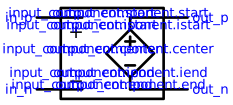
TransimpedanceTransactor
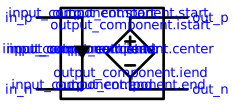
TransadmittanceTransactor
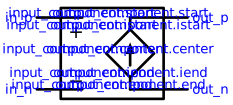
CurrentTransactor
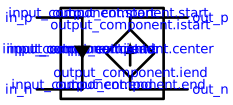
Pathological
Nullor
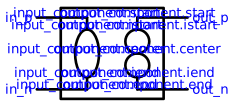
VMCMPair
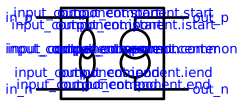
Custom
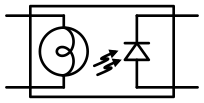
The schemdraw.elements.twoports.ElementTwoport class can be used to define custom twoports by specifying an input_element and output_element. The bpadx, bpady, minw, unit, width can be used to tune the horizontal and vertical padding, minimum width of the elements, length of components, and width of the twoport respectively.
elm.ElementTwoport(
    input_element=elm.Inductor2,
    output_element=elm.SwitchReed,
    unit=2.5, width=2.5)
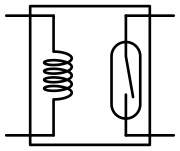
elm.ElementTwoport(
    input_element=elm.Lamp,
    output_element=partial(elm.Photodiode, reverse=True, flip=True),
    width=3)
Cables
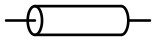
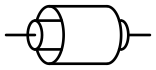
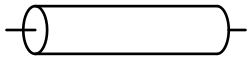
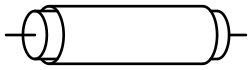
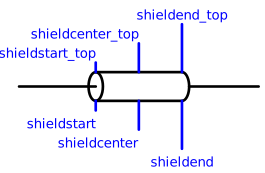
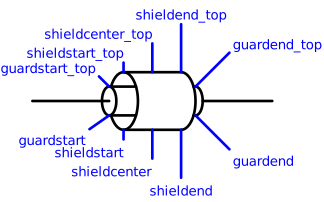
schemdraw.elements.cables.Coax and schemdraw.elements.cables.Triax cables are 2-Terminal elements that can be made with several options and anchors.
Coax parameters include length, radius, and leadlen for setting the distance between leads and the shell.
Triax parameters include length, radiusinner, radiusouter, leadlen, and shieldofststart for offseting the outer shield from the inner guard.
Coax
Triax()
Coax(length=5, radius=0.5)
Triax(length=5, radiusinner=0.5)
CoaxConnect

Transformers
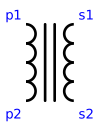
The schemdraw.elements.xform.Transformer element is used to create various transformers.
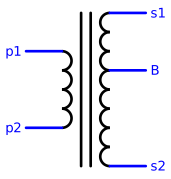
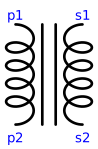
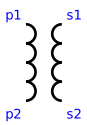
Anchors p1, p2, s1, and s2 are defined for all transformers.
Other anchors can be created using the taps method to add tap locations to
either side.
Transformer
Transformer(loop=True)
Transformer(core=False)
Here is a transformers with anchor “B” added using the tap method. Note the tap by itself does not draw anything, but defines a named anchor to connect to.
with schemdraw.Drawing(fontsize=10) as d:
    x = elm.Transformer(t1=4, t2=8).tap(name='B', pos=3, side='secondary')
    elm.Line().at(x.s1).length(d.unit/4).label('s1', 'rgt').color('blue')
    elm.Line().at(x.s2).length(d.unit/4).label('s2', 'rgt').color('blue')
    elm.Line().at(x.p1).length(d.unit/4).left().label('p1', 'lft').color('blue')
    elm.Line().at(x.p2).length(d.unit/4).left().label('p2', 'lft').color('blue')
    elm.Line().at(x.B).length(d.unit/4).right().label('B', 'rgt').color('blue')